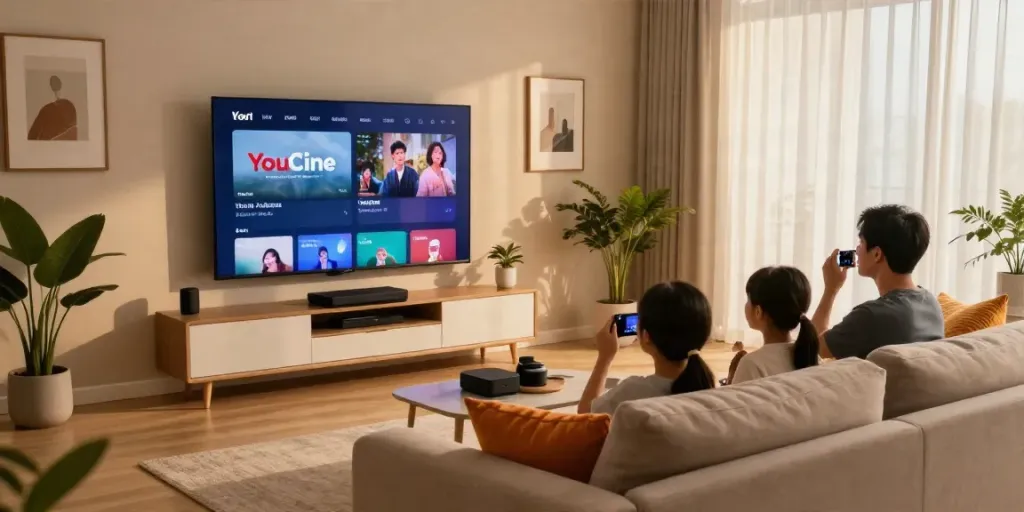
Introduction to Caixa de TV YouCine
The rise of streaming services has significantly reshaped how we consume content today. Among the many options available, the Caixa de TV YouCine stands out as an innovative solution tailored to meet the entertainment needs of modern households. This user-friendly device not only allows for seamless access to an extensive library of movies and TV shows but also integrates various streaming platforms, thereby enhancing the viewing experience. Understanding the unique features, installation process, and the overall value of YouCine TV Box can empower users to make informed decisions about their home entertainment systems.
What is Caixa de TV YouCine?
Caixa de TV YouCine is a cutting-edge streaming device designed to provide users with access to a plethora of entertainment options. It enables you to watch movies, series, and live TV on various platforms directly from the comfort of your living room. The YouCine Box is compatible with Android TVs, Smart TVs, and other streaming devices, making it a versatile choice for anyone looking to upgrade their home entertainment setup.
History and Development of YouCine
Launched in 2021, the YouCine TV Box was developed to cater to the growing demand for mobile and accessible streaming options. The creators recognized the shift in consumer behavior towards on-demand video content and designed a product that not only meets these expectations but enhances them. Over the years, YouCine has evolved, incorporating feedback from its users to improve its interface and features, ensuring it remains at the forefront of the streaming technology landscape.
Why Choose YouCine for Your Home Entertainment?
Choosing YouCine for your home entertainment needs comes with a range of benefits. From its extensive library of films and television series to its user-friendly interface, it is designed to accommodate the diverse preferences of viewers. Additionally, with regular updates and new features being added, YouCine is committed to enhancing the user experience. Whether you're a binge-watcher or a casual viewer, this device offers an unparalleled streaming experience.
Setup and Installation Guide
Required Equipment for Setting Up Caixa de TV YouCine
To set up your Caixa de TV YouCine, you will require the following equipment:
- HDMI Cable: Essential for connecting the YouCine Box to your television.
- Power Adapter: Comes with the device to ensure uninterrupted usage.
- Stable Internet Connection: Either through Wi-Fi or Ethernet for seamless streaming.
- Remote Control: Included with the device for easy navigation.
Step-by-Step Installation Process
- Connect the Device: Plug the HDMI cable from the YouCine Box into an available HDMI port on your TV.
- Power it On: Connect the power adapter and switch on the device.
- Set Up Internet Connection: Choose your Wi-Fi network or connect via Ethernet for reliable access.
- Follow On-Screen Instructions: Complete the initial setup by following the prompts provided by the YouCine interface.
- Install Necessary Apps: Access the app store through YouCine to download your favorite streaming applications.
Troubleshooting Common Installation Issues
If you encounter issues during installation, consider the following troubleshooting tips:
- No Signal on TV: Ensure that the correct HDMI input is selected on your television.
- Connection Problems: Verify your internet connection is active and functioning.
- Device Not Responding: Restart the YouCine Box and try again.
Content and Features
Available Movies and TV Shows on Caixa de TV YouCine
The YouCine Box houses a vast library of content that appeals to various demographics. Users can access a wide range of movies, from classic films to contemporary blockbusters, as well as a variety of TV shows across multiple genres. The catalog is consistently updated, ensuring viewers always have fresh content to enjoy.
User-Friendly Interface and Navigation Tips
One of the standout features of the YouCine Box is its intuitive interface. Users can easily navigate through categories thanks to its streamlined design, making it simple to find specific titles or genres. Here are some navigation tips:
- Use the Search Function: For quick access to your favorite titles.
- Create Watchlists: Save movies and shows you plan to watch later.
- Explore Recommendations: Check out personalized recommendations to discover new content.
Exclusive Features of the YouCine Box
The YouCine Box boasts several exclusive features that enhance the user experience. These include:
- Parental Controls: Allows parents to restrict content based on age ratings.
- Offline Viewing: Download select content for viewing without an internet connection.
- Multi-User Profiles: Create personalized profiles for different family members.
Performance and User Experience
Streaming Quality and Performance Metrics
The performance of the Caixa de TV YouCine is exceptional, particularly in terms of streaming quality. With support for up to 4K resolution, viewers can enjoy crisp and clear visuals. The device also utilizes adaptive bitrate streaming to ensure smooth playback, even when internet speeds fluctuate. Users often report minimal buffering and a seamless viewing experience.
User Testimonials and Reviews
Feedback from users indicates a high satisfaction rate, with many praising the device for its ease of use and comprehensive content library. Users appreciate the quality of streams and the variety offered, making it a popular choice among families and individuals alike. Common themes in reviews highlight the convenience of having multiple streaming services consolidated into one device.
Comparing YouCine with Competitors
When comparing the YouCine Box to its competitors, such as Roku and Amazon Fire TV, it becomes evident that YouCine excels in providing a tailored user experience. While other platforms may have similar content, YouCine’s focus on user-friendly navigation and exclusive features sets it apart. Moreover, its affordability and value for money are significant factors that appeal to budget-conscious consumers.
Future Prospects for Caixa de TV YouCine
Upcoming Features and Updates in 2026
As technology continues to evolve, so does the YouCine Box. Future updates are set to enhance user functionality, introducing features such as voice control capabilities, expanded content partnerships, and enhanced artificial intelligence to provide customized viewing experiences. These developments aim to keep YouCine at the forefront of the streaming industry.
Predictions for Streaming Technology Trends
The streaming landscape is rapidly changing, with trends pointing towards increased personalization and enhanced interactivity. Such advancements will allow users to engage with content in new ways, such as choosing their endings or participating in live polls during shows. As these trends develop, YouCine is poised to adapt and incorporate these features into its platform.
How to Get the Most Out of Your YouCine Experience
To fully leverage the capabilities of your YouCine Box, consider these tips:
- Regularly Update the Device: Ensure you have the latest software to access new features.
- Explore New Content: Make a habit of checking for newly added movies and shows.
- Participate in Community Forums: Engage with other users to share tips and recommendations.
How to Install YouCine on Your Smart TV?
Installing YouCine on Smart TVs is straightforward. Access your TV's app store, search for YouCine, and follow the prompts to download and install. Ensure your device is connected to the internet during this process for a seamless installation.
What Plans Are Available for YouCine Users?
YouCine offers flexible subscription plans tailored to the varying needs of its users. From monthly to yearly subscriptions, users can choose a plan that suits their viewing habits. Additionally, some content offerings may be available on a pay-per-view basis, providing users with options to watch exclusive titles without a full subscription.